
I remember sitting cross-legged on my bed, surrounded by crumpled paper notes, trying to figure out if I’d already paid my share of the electricity bill or not. My roommate was convinced I hadn’t. I was convinced I had. Neither of us had proof.
That argument cost us three days of awkward silence and nearly got us kicked out of our shared apartment because the actual bill — which neither of us had tracked properly — went unpaid for two months.
That was the moment I realized I needed to stop managing my rental life with WhatsApp messages and memory. There are apps built specifically for people like me (and you), and honestly, once I started using them, I couldn’t believe I’d survived without them.
So here’s my real-world breakdown of five smart rent apps that have genuinely made my life easier — no fluff, no sponsored opinions, just actual experience.
1. Splitwise — The App That Saved My Friendships
If you’re sharing a room or apartment with anyone — a friend, a stranger, a sibling — you need Splitwise in your life. Full stop.
Before Splitwise, my roommates and I tracked shared expenses through a group chat. Someone would pay for groceries, type “I paid 2,400 for groceries, split 3 ways”, and then that message would get buried under 200 other messages about who forgot to lock the door. It was a disaster.
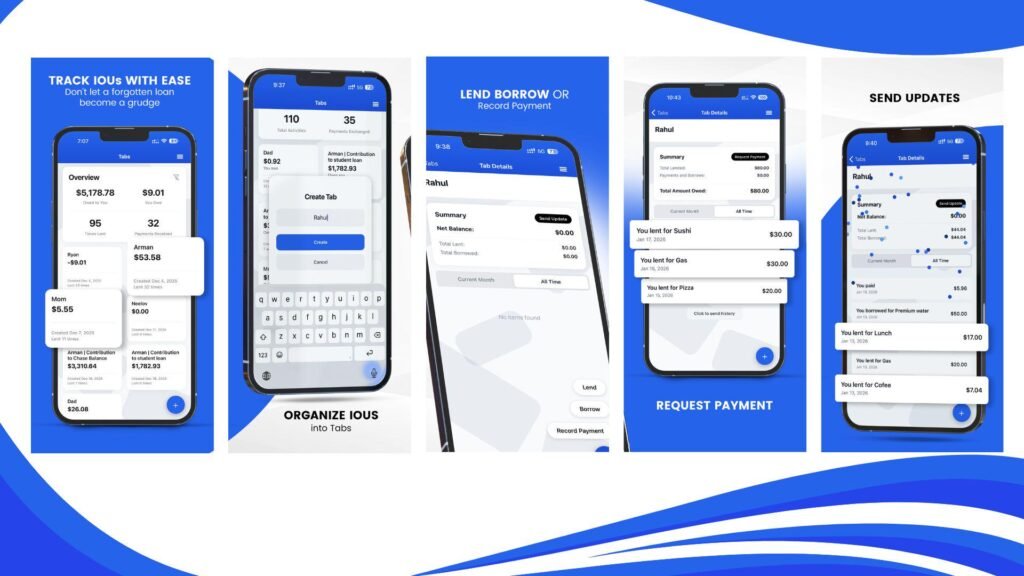
Splitwise keeps a running tab of who owes whom, automatically calculates splits, and even handles unequal splits (like when one person uses more electricity because they work from home). It also sends reminders — politely — so you don’t have to be the awkward one asking for money.
How I use it step by step:
- Create a group with your roommates inside the app.
- Every time someone pays a shared bill (rent, groceries, internet, gas), log it in Splitwise immediately — takes 30 seconds.
- At the end of the month, the app shows a clean summary of who owes what.
- Settle up using bank transfer or whatever you prefer, then mark it settled in the app.
What surprised me: Splitwise also works for travel or any shared expense — not just rent. So when my roommates and I did a weekend trip, we used the same group. Everything tracked automatically.
Mistake I made: I didn’t use it from day one. I tried to “add old expenses” retroactively after two months. It got confusing fast. Start using it from the first day you move in.
Platform: iOS, Android, Web | Cost: Free (Pro version available)
If you’re navigating shared living for the first time and finding it tricky, this guide on 7 Easy Rent by Room Guide Methods to Share Rent Smartly walks you through some practical ground rules before you even open an app.
2. Zillow Rentals — For Finding and Comparing Rooms Before You Commit
Look, I’ve wasted entire weekends visiting rooms that looked nothing like their photos. Cracked walls airbrushed out. “Spacious” rooms that fit exactly one person if they stood sideways. It’s exhausting, and it costs you time and transport money.
Zillow Rentals doesn’t completely solve the “misleading photo” problem (nothing does, unfortunately), but it gives you more information per listing than almost any other platform. Square footage, utility inclusions, pet policies, lease terms, price history — it’s all usually there.
What I started doing is using Zillow specifically for comparison research before I reach out to any landlord. I’ll open three or four listings in the same area, compare what they’re offering at similar price points, and go into viewings with actual data.
Features I actually use:
- Price history: You can see if a listing has been sitting for weeks and had its price dropped. That’s leverage in negotiation.
- Walk Score and Transit Score: Shows how walkable an area is and how close public transport is. Saved me from moving into a place that looked affordable until I added daily taxi costs.
- 3D Home Tours: Not always available, but when they are, they’re genuinely useful for getting a real sense of the space before visiting.
One limitation: Zillow is primarily US-focused. If you’re renting internationally, you’ll get limited results. For Pakistan or South Asia, local platforms like Zameen.com or OLX work better for listings — but the framework of how to evaluate a listing (price history, amenities, location scores) translates anywhere.
Platform: iOS, Android, Web | Cost: Free
| Feature | Zillow | OLX | Zameen.com |
|---|---|---|---|
| Price History | ✅ Yes | ❌ No | ❌ Limited |
| 3D Tours | ✅ Some | ❌ No | ❌ No |
| Walk Score | ✅ Yes | ❌ No | ❌ No |
| Local Pakistan Listings | ❌ Limited | ✅ Yes | ✅ Yes |
| Free to Use | ✅ Yes | ✅ Yes | ✅ Yes |
3. Cozy (now part of Apartments.com) — For Tenants Who Want Everything in One Place

This one took me a while to discover, and when I did, I was genuinely annoyed I hadn’t found it sooner.
Cozy — which has since been folded into Apartments.com — is designed to be a full rental management platform. From the tenant side, you can use it to pay rent online, store your lease documents, submit maintenance requests, and track your payment history.
The maintenance request feature is the one I use most. Previously, when something broke in my apartment, I’d send my landlord a WhatsApp message. Sometimes he’d reply. Sometimes he’d forget. There was no paper trail, no accountability, and no timeline.
With Cozy/Apartments.com, you submit a maintenance request through the platform, the landlord gets notified, and there’s a documented record of when you reported the issue. That record matters — especially if there’s ever a dispute about your deposit at the end of the tenancy.
Step-by-step for new users:
- Ask your landlord if they’re on the platform (or willing to join — it’s free for them too).
- Once connected, you can pay rent directly through the app via bank transfer.
- Upload a copy of your lease agreement into the app’s document storage.
- Use the maintenance log to record any issues with photos and timestamps.
The unexpected benefit: Having a digital rent payment history is incredibly useful if you ever need to prove you’ve been a responsible tenant — for future landlord references, visa applications, or anything that asks about your financial reliability.
Mistake to avoid: Don’t assume your landlord is tech-savvy. Some older landlords won’t want to use a platform. In that case, use it on your end just for document storage and keeping your own records, and pay rent the old-fashioned way.
Platform: iOS, Android, Web | Cost: Free for tenants
4. Google Keep or Notion — The Underrated Rental Organization Hack
Okay, I know what you’re thinking. Google Keep? That’s not a rent app. But hear me out.
When I moved into my last place, I didn’t document a single thing. Existing scratch on the wall? Didn’t photograph it. Dripping tap I noticed during viewing? Didn’t write it down. Broken cabinet hinge in the kitchen? Mentioned it verbally, nothing in writing.
When I moved out 14 months later, my landlord tried to charge me for all three of those things. I had no proof they existed before I arrived.
I lost part of my deposit because of it.
Now I use Google Keep to create a “Move-In Condition Report” on day one — photos, notes, timestamps, all organized in one note. It’s free, syncs across devices, and I can share it directly with my landlord so there’s a mutual record.
If you want something more structured, Notion is brilliant for this. You can create a full rental dashboard with:
- Move-in condition notes and photos
- Monthly expense tracker
- Lease terms and key dates (when does it expire? When do you need to give notice?)
- Contact details for landlord, building manager, maintenance
- Utility account numbers
My move-in documentation checklist (what I photograph now):
- Every wall in every room
- All flooring (especially carpet condition)
- Inside every cabinet and drawer
- All appliances (and whether they work)
- Bathroom and kitchen fixtures
- Windows, locks, and any visible damage
This takes about 20 minutes and has saved me money twice since I started doing it.
Platform: Google Keep — iOS, Android, Web (Free) | Notion — iOS, Android, Web (Free plan available)
For more practical tips on what to check before handing over any money, 4 Things to Check Before Paying Deposit on Rent by Room is a must-read — it covers things most first-timers completely miss.
5. NoBroker or Similar Local Rental Platforms — Cut Out the Middleman
This one is more region-specific, but the concept applies everywhere.
NoBroker is a platform that connects tenants directly with landlords — no real estate agents, no brokerage fees. In cities where broker fees can eat up one to two months’ rent just to find a room, this is genuinely significant.
I used NoBroker during a move and saved what would have been a 15,000 rupee broker commission. That money went directly toward setting up my new room comfortably. Not a small thing when you’re already stretching your budget.
The app also lets you filter by:
- Budget range
- Furnishing status (fully furnished, semi-furnished, unfurnished)
- Preferred roommate gender
- Locality and distance from landmarks
What I like about it:
The listings are mostly verified, and because there’s no agent markup, the prices tend to be closer to what landlords actually want. Negotiations happen directly, which means faster responses and more flexibility.
What to watch out for: Like any platform, fake listings exist. Always video-call the landlord before visiting, reverse-image search the property photos, and never pay any money before physically seeing the place. No legitimate landlord will ask for a deposit before a viewing.
Platform: iOS, Android, Web | Cost: Free (premium features available)
Alternatives by region:
| Region | Platform | Key Benefit |
|---|---|---|
| Pakistan | Zameen.com / OLX | Largest local listings database |
| India | NoBroker / MagicBricks | No-broker direct rentals |
| USA | Apartments.com / Zillow | Comprehensive data and filters |
| UK | Rightmove / SpareRoom | Verified listings and room shares |
| UAE | Dubizzle / Bayut | Expat-friendly filters |
Common Mistakes People Make With Rent Apps
Using apps is great. Using them wrong is worse than not using them at all.
Here are the patterns I’ve seen (and personally committed):
Not updating Splitwise in real time. If you wait until the end of the month to log expenses, you’ll forget half of them. Log it when it happens — takes 30 seconds.
Storing lease documents only on your phone. Phones get lost, broken, stolen. Always back up your lease to Google Drive or Dropbox. I email myself a copy too, just in case.
Assuming the app is enough without a conversation. Apps create records. They don’t replace communication. If there’s an issue with a roommate or landlord, have the conversation — then follow up in writing via the app or email.
Using only one platform to search for rooms. Don’t limit yourself. Use Zillow AND OLX AND local Facebook groups. Each pulls different listings, and the best deals are sometimes in the least obvious places.
Ignoring app security. Your rental apps may have payment info, your lease, and your personal address. Use strong passwords, enable two-factor authentication, and don’t share login credentials.
If you’re worried about safety more broadly while renting — especially in a new city — 9 Rent by Room Guide Tips to Stay Safe While Renting covers both digital and physical safety in a really practical way.
Quick Reference: All 5 Apps at a Glance
| App | Best For | Cost | Platform |
|---|---|---|---|
| Splitwise | Splitting bills with roommates | Free | iOS, Android, Web |
| Zillow Rentals | Finding and comparing listings | Free | iOS, Android, Web |
| Cozy / Apartments.com | Rent payments & maintenance logs | Free for tenants | iOS, Android, Web |
| Google Keep / Notion | Move-in documentation & organization | Free | iOS, Android, Web |
| NoBroker / Local Platforms | Finding rooms without broker fees | Free | iOS, Android, Web |
Managing your rental life doesn’t have to feel chaotic. The right apps essentially act as a personal assistant — tracking your money, documenting your room, keeping your landlord accountable, and helping you find your next place without getting scammed.
The key is to start simple. Don’t try to install all five apps on the same day and restructure your entire life. Pick the one that solves your biggest current headache. For most people, that’s Splitwise (if you’re sharing) or a documentation system like Notion (if you’re flying solo). Start there, get comfortable, then layer in the rest.
Your renting experience is largely in your own hands — and these tools put more control back where it belongs.